In competitive distribution and multi-vendor B2B/B2C trade, issuing fast, accurate, and compliant commercial invoices is vital. Errors in invoicing lead to ledger disputes, delayed collections, and inventory imbalances. In this guide, we cover how to issue a commercial invoice in Rabia—connecting sales channels directly to inventory allocation and customer balance tracking.
Core Feature: Zero-Discrepancy Invoicing
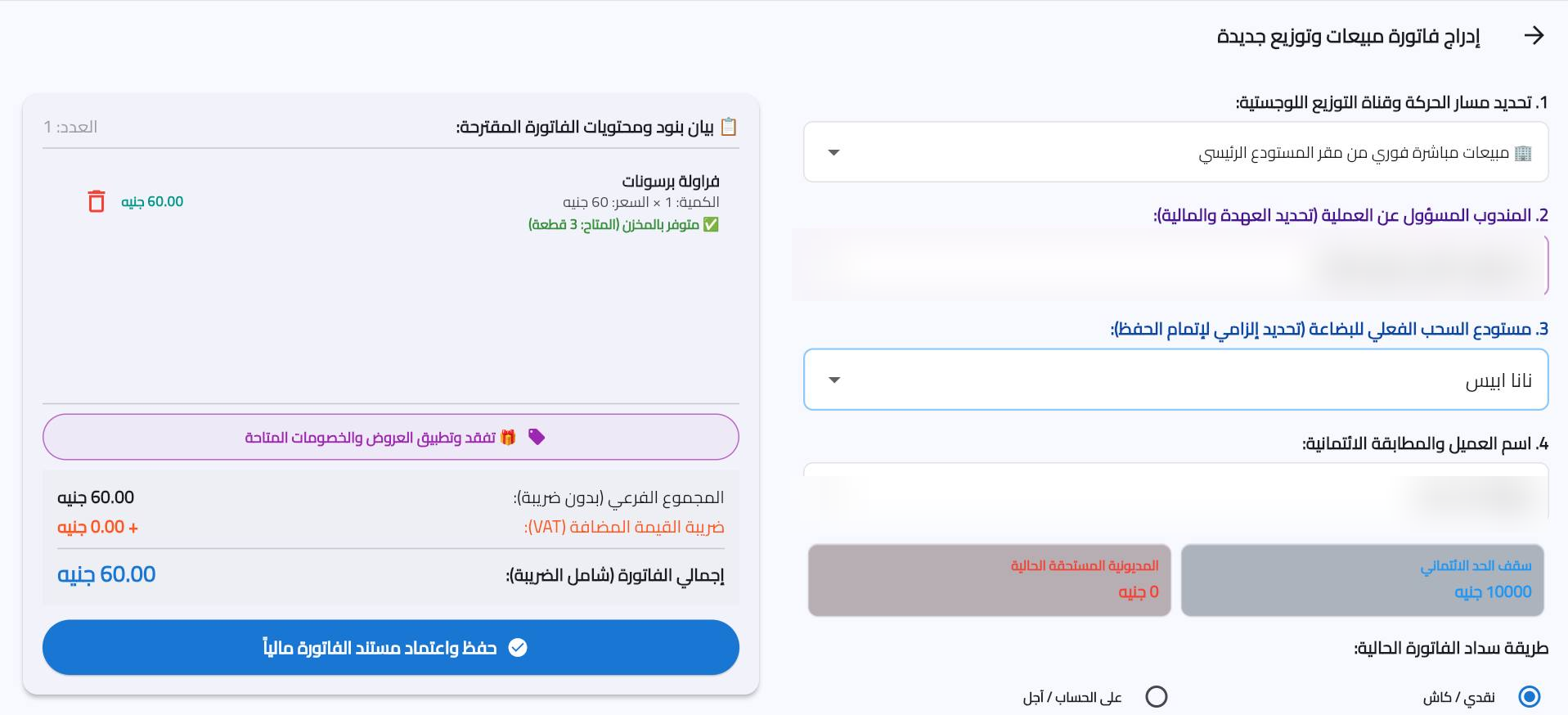
Rabia validates prices, unit conversions, and customer credit limits during invoice creation. If an order exceeds a client's credit runway or available stock, the system instantly alerts the sales representative before posting.
Step-by-Step Commercial Invoice Creation
Follow these easy steps to issue a new commercial sales record in Rabia:
- Select Customer or Route Account: Choose the merchant client, retail store, or assigned delivery representative.
- Add Base Products & Units: Search items by name or SKU, selecting whether items are sold per Carton or Piece.
- Automated Tax & Discount Calculation: Apply line-item trade discounts or cash settlement terms; taxes are updated automatically.
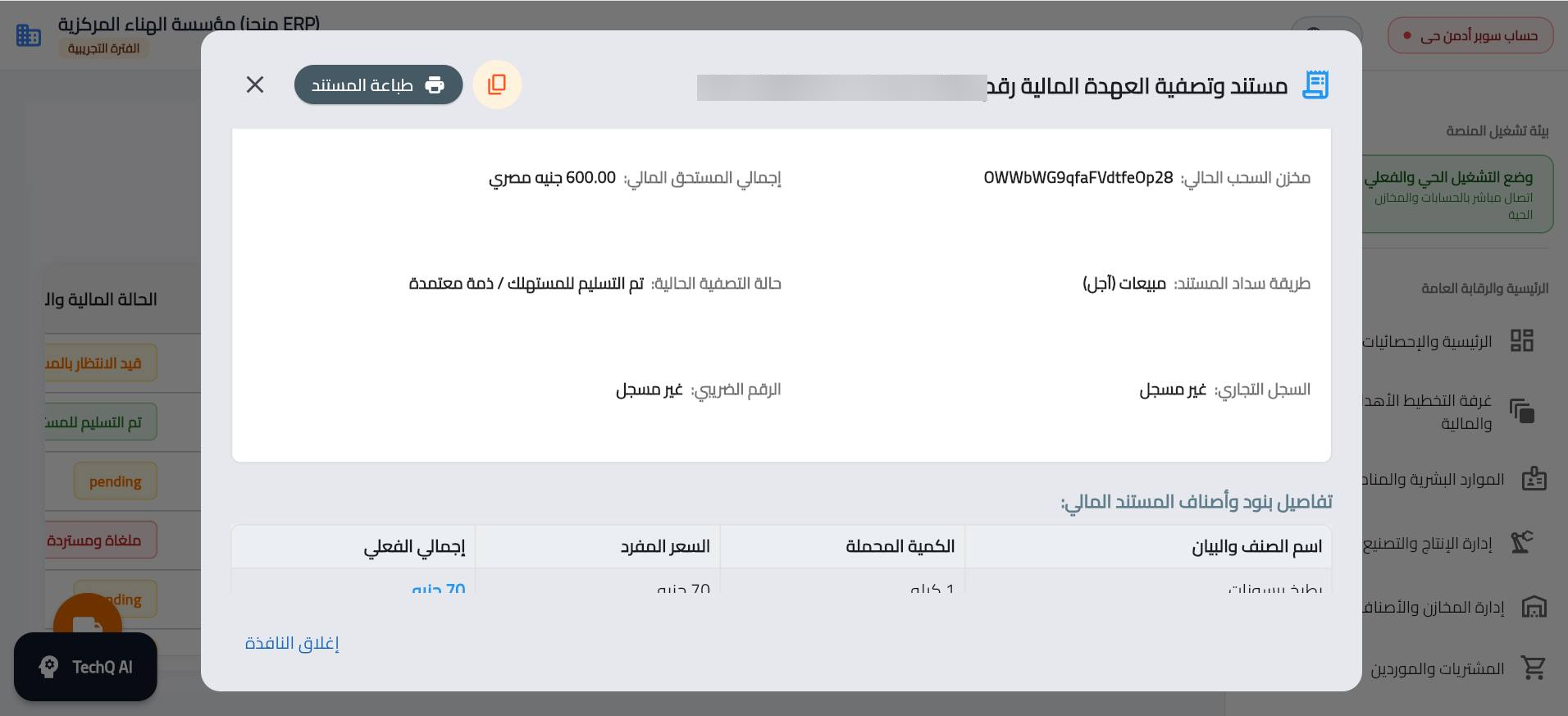
- Posting & Immediate Ledger Update: Click save to trigger warehouse stock deduction and customer debit entry.
Real-Time Ledger & Inventory Synchronization
Manual invoice entry often creates delays between sales reps in the field and the central accounting ledger. With Rabia, every commercial invoice issued updates the customer's real-time financial position, pending receivables, and overall inventory levels across all distribution hubs.
How TechQ Audits Sales Invoices
- Margin Protection: Warns if an applied discount lowers profit below the configured baseline.
- Anomalous Order Detection: Flags unusually large quantities or unusual payment terms for executive review.
- Collection Velocity Projections: Forecasts expected cash collection dates based on client settlement history.